직접 조작을 기본값으로Direct manipulation by default
좌표 입력보다 캔버스에서 보고 움직이며 만드는 방식에 우선순위를 두었습니다.Prioritized seeing and moving elements on canvas over entering coordinates.
Creator tool · Product ownership · 2015 – 2019
워치페이스를 그릴 수 있어도, 코딩과 인증서 발급을 거쳐 배포하는 과정은 디자이너에게 장벽이었습니다. 프로젝트 오너로 5인 팀과 함께 시각적 제작 도구를 만들고, 테스트·배포·교육까지 제품 경험의 일부로 설계했습니다.Designers could draw a watch face, but coding, certificates, and distribution made release difficult for designers. As project owner, I worked with a five-person cross-functional team to build a visual authoring tool—and made testing, publishing, and learning part of the product.
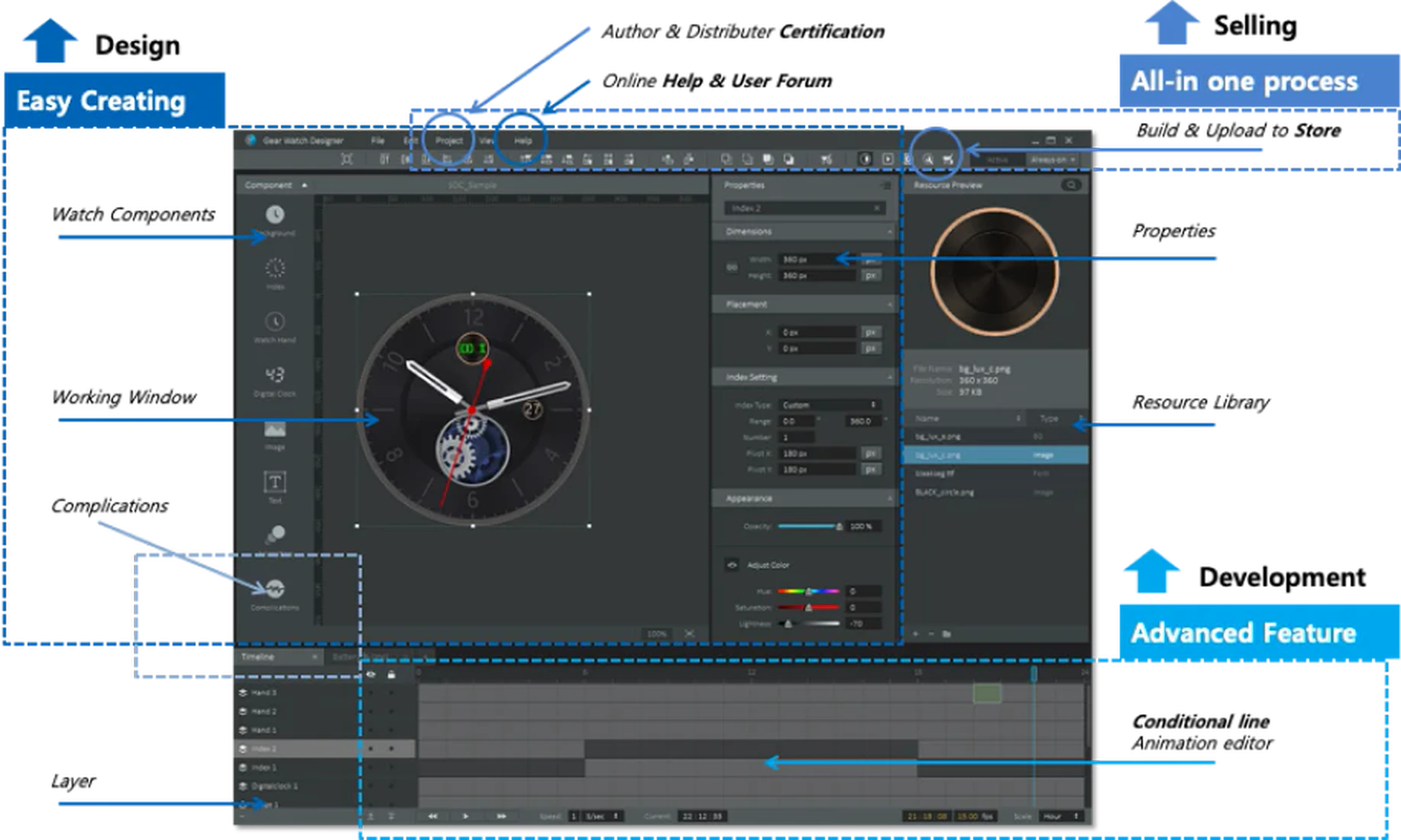
시각 디자이너는 워치페이스를 구상할 수 있었지만, 실제 제품으로 만들어 배포하기까지 높은 기술 장벽을 넘어야 했습니다.Visual designers could imagine a watch face, but turning it into a tested, distributable product required navigating significant technical barriers.
시각 디자이너가 워치페이스 시장에 참여하려면 코딩, Tizen 인증서, 빌드와 테스트, 판매자 사이트 등록까지 개발자 중심의 절차를 통과해야 했습니다. 기존 도구는 좌표와 속성 입력에 의존해 디자이너에게 익숙한 직접 조작 방식과도 맞지 않았습니다.To participate in the watch-face market, visual designers had to navigate coding, Tizen certificates, build and test procedures, and seller-site submission. Existing tools depended on coordinate entry and developer conventions rather than direct manipulation.
프로젝트 오너로서 초기 콘셉트를 제안하고 UX와 제품 방향을 정했습니다. 핵심 질문은 단순했습니다. 디자이너가 코드를 쓰지 않고 만들고, 실기기에서 확인하고, 배포하려면 무엇이 한 제품 안에 있어야 하는가?As project owner, I initiated the concept and defined the UX and product direction. The key question was simple: what did a designer need in one product to create, test on a real device, and publish without writing code?
설계 → 제작 → 테스트·빌드 → 배포의 전 과정을 직접 수행하며 장벽을 찾았습니다. WYSIWYG 캔버스와 타임라인, 조건부 애니메이션, 센서 데이터 컴포넌트를 설계하고, 인증서 발급과 빌드, 에뮬레이터·실기기 테스트, 판매자 사이트 등록 과정까지 하나의 여정으로 정의했습니다.I worked through the full design → creation → test/build → distribution flow to locate friction. The product centered on a WYSIWYG canvas, timeline, conditional animation, and sensor-data components, while the surrounding journey connected creation to certification, build, emulator and device testing, and seller-site submission.
좌표 입력보다 캔버스에서 보고 움직이며 만드는 방식에 우선순위를 두었습니다.Prioritized seeing and moving elements on canvas over entering coordinates.
처음 만드는 사람은 바로 시작하고, 전문가는 타임라인과 조건 로직으로 깊게 들어갈 수 있게 했습니다.Beginners could start immediately while experts could go deeper with timelines and conditional logic.
빌드, 테스트, 인증과 배포가 별도 문서가 아니라 작업 흐름의 일부가 되게 했습니다.Made build, test, certification, and distribution part of the workflow—not separate documentation.
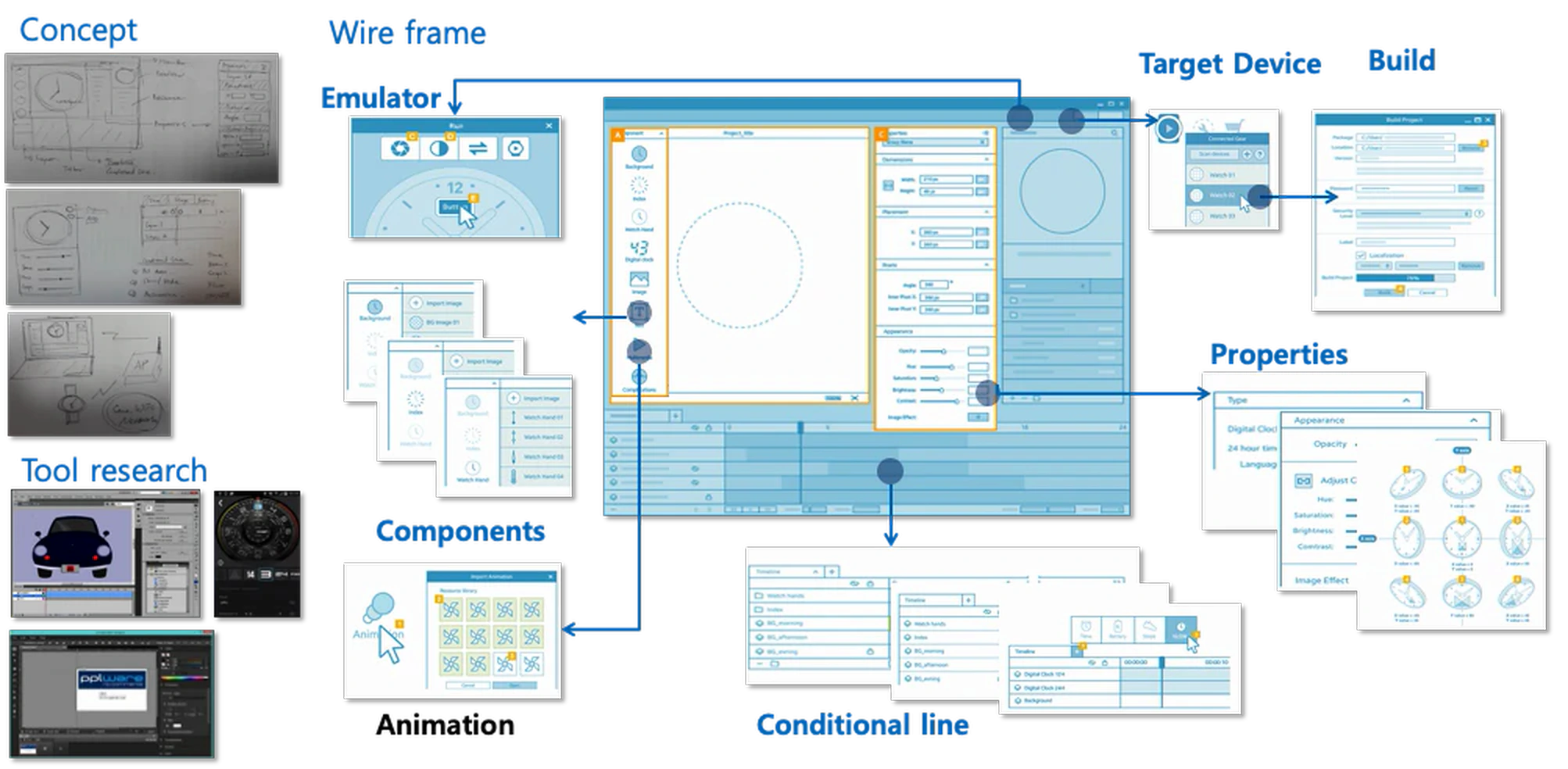
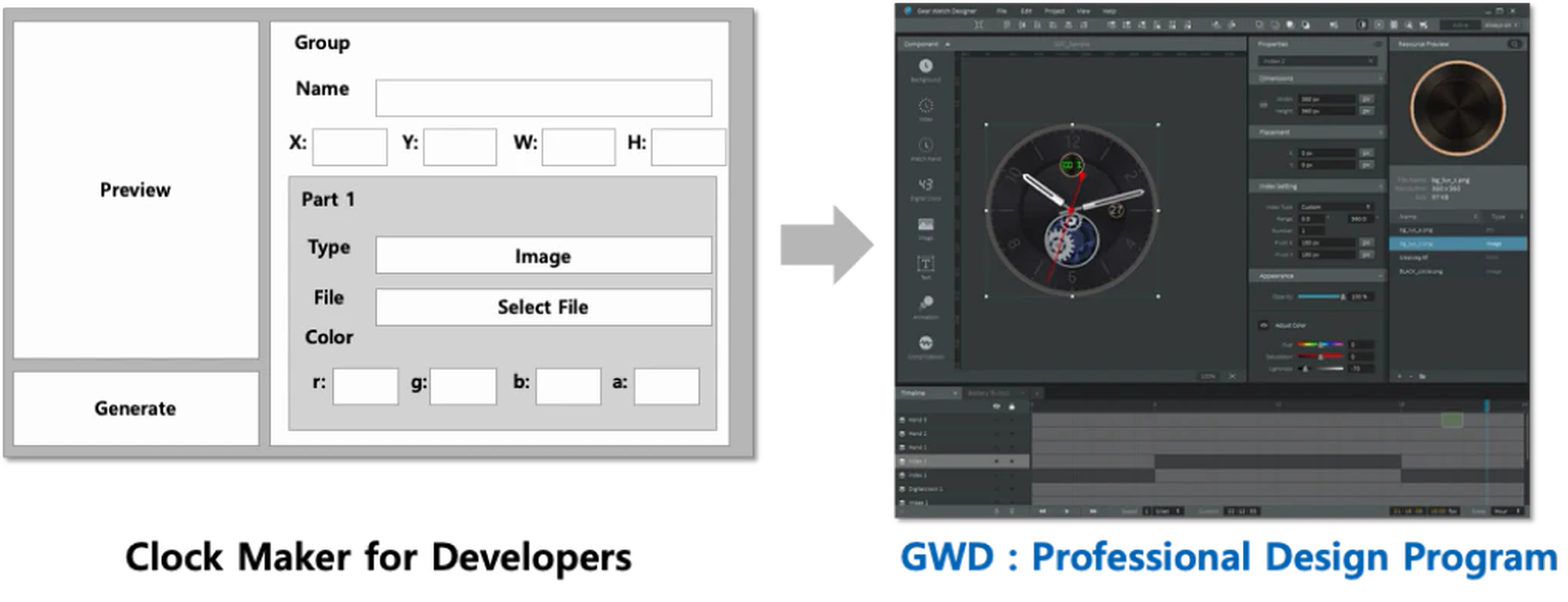
도구가 약 60–70% 완성됐을 때 내부 디자이너 공모전을 열어 실제 제작 과정에서만 드러나는 오류와 사용성 문제를 찾았습니다. 현장 워크숍과 출시 전 사용자 의견, 튜토리얼, 웨비나는 교육이면서 후속 리서치 채널이었습니다.When the tool reached roughly 60–70% completion, an internal designer contest exposed usability issues visible only in real creation work. Field workshops, pre-release feedback, tutorials, and webinars served as both education and ongoing research channels.
실제 제작·빌드·배포를 따라가며 장벽을 기록Follow real creation, build, and distribution work
작업 공간과 시스템 흐름을 함께 시험Test the workspace and system flow together
디자이너의 실제 결과물로 숨은 오류를 발견Reveal hidden issues through real designer output
튜토리얼·웨비나·행사·지원으로 도입을 완성Support adoption through tutorials, webinars, events, and support
GWD는 2016년 공개 베타로 출시됐습니다. 제품 범위와 우선순위를 맡고, 인터페이스·배포 흐름·튜토리얼·출시 지원을 함께 설계해 도구를 익히고 사용하는 부담을 낮췄습니다.GWD entered public beta in 2016. I owned product scope and priorities and worked across the interface, distribution flow, tutorials, and launch support to reduce the effort required to adopt the tool.
제품을 함께 만든 크로스펑셔널 팀Cross-functional product team
공개 베타 출시와 개발 스토리 공개Public beta launch and development story
설계·제작·테스트·배포를 잇는 제품 구조A product structure spanning design, creation, test, and distribution
외부 디자이너가 코딩 없이 제작·테스트·배포할 수 있는 경로A path for external designers to create, test, and distribute without coding